Carrel is a book tracker app for Android (the iPhone version is in the works) that keeps your books on a visual bookshelf. You add a book you have read, are reading or want to read, and it stands on a wooden shelf as a spine, in the place you put it. You don't photograph anything: the cover comes from the Open Library catalogue, or Carrel draws one. Carrel counts the books you finish each year, month by month. When you want other people to see your shelf, you publish it as a page at trycarrel.app/yourname that opens in any browser.
Track
Track the books you read
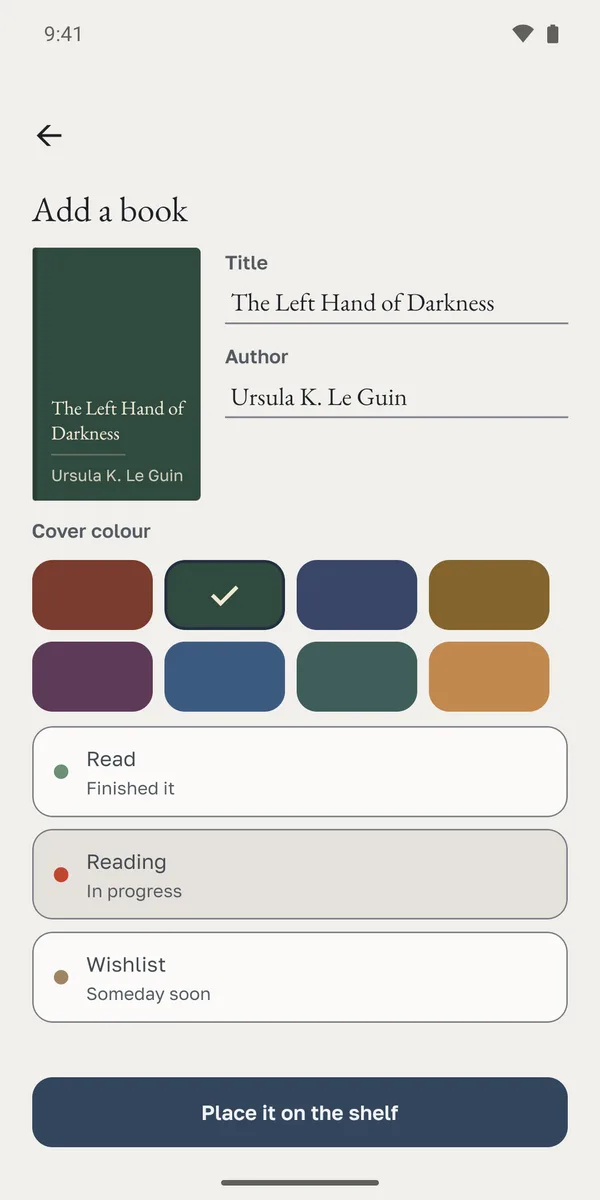
Search the Open Library catalogue by title or author, and Carrel brings in the real cover. If the catalogue doesn't have your book, add it yourself and Carrel draws a cover from the title and a colour you pick. Mark each book as read, reading or on your wishlist, and give the finished ones a date.
Your year
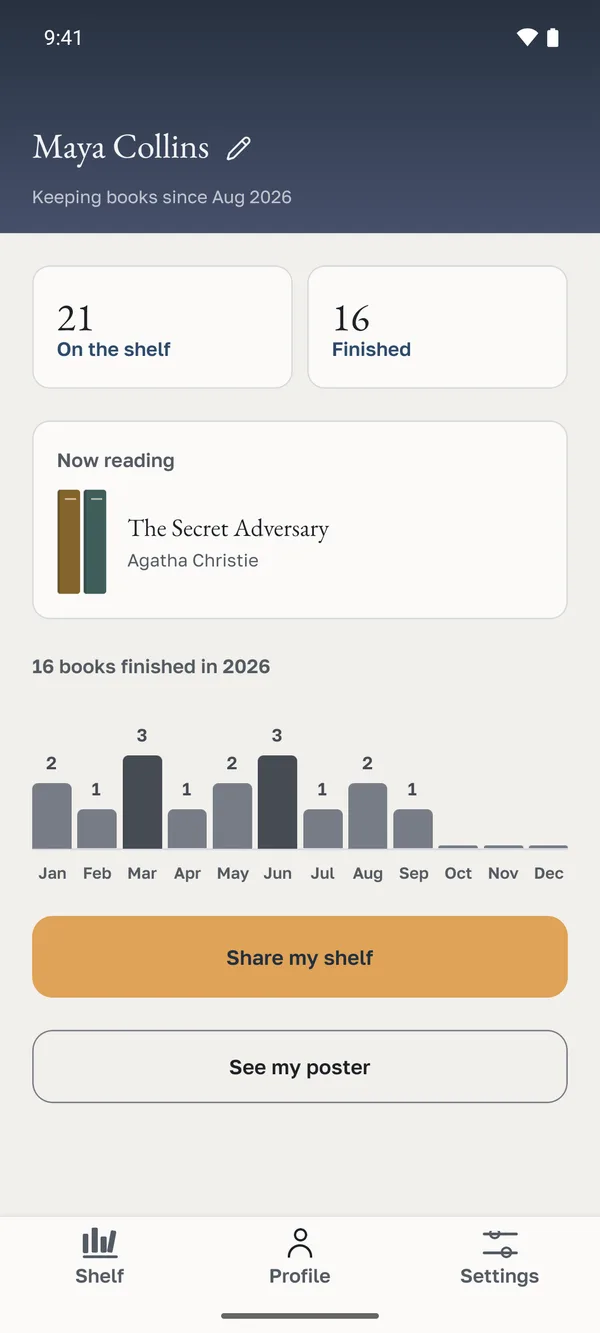
See how many books you read this year
Your profile shows the books you finished this year, month by month, with the total on top. Step back a year to compare.
Share
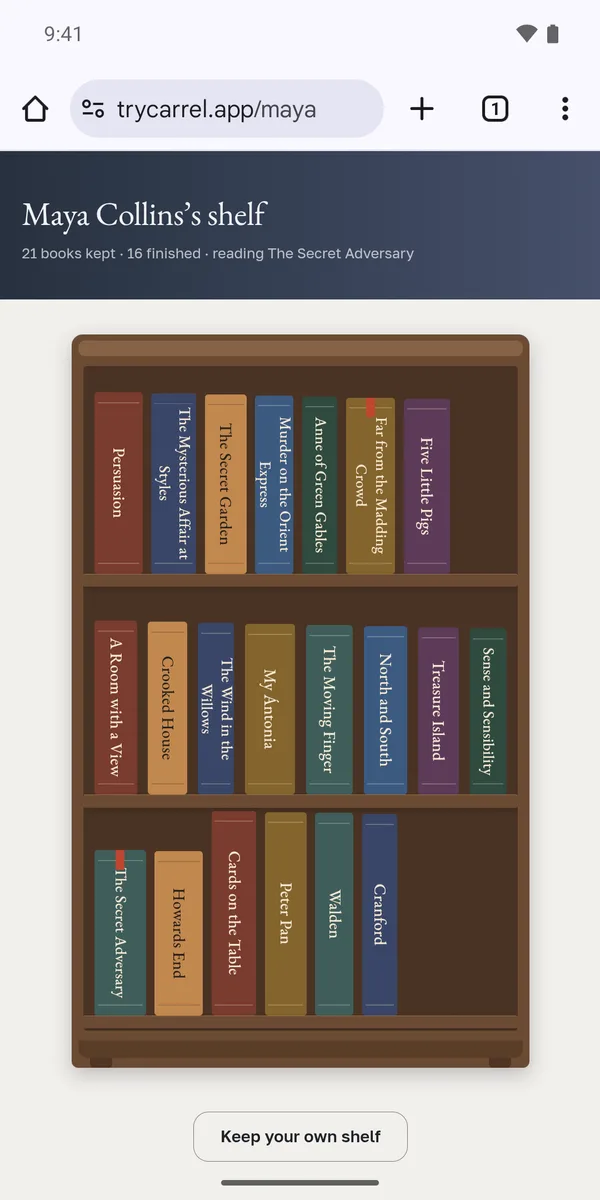
A virtual bookshelf you can share
Your shelf stays private until you publish it. Then it gets one address, trycarrel.app/yourname, and anyone can open it in a browser, on an iPhone too, without the app or an account. You choose whether search engines can find it and whether your wishlist shows.
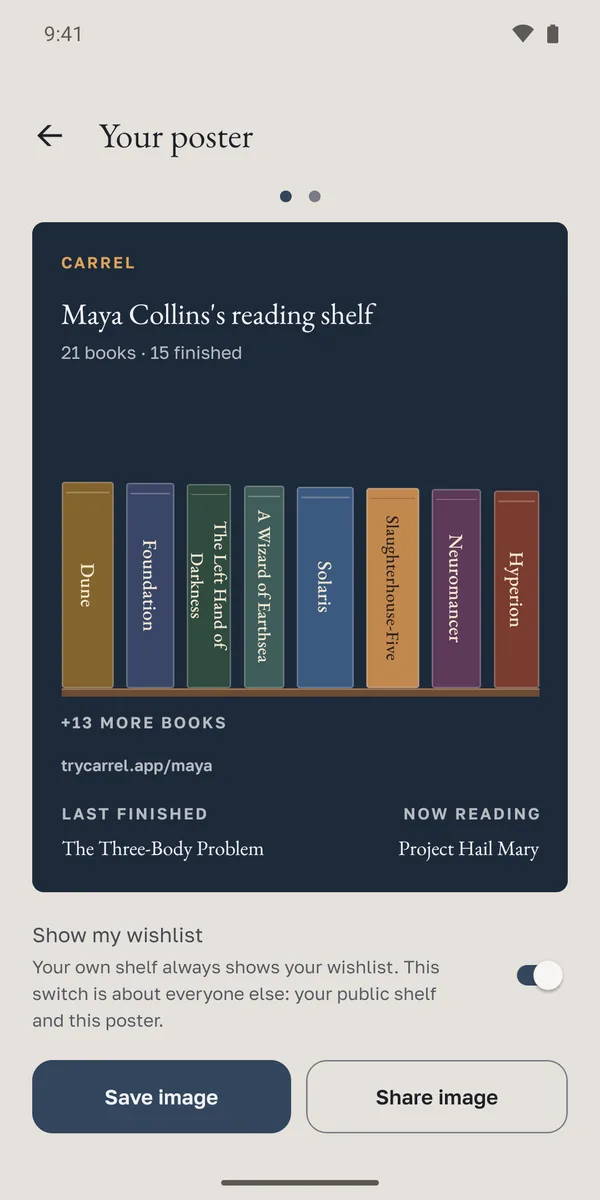
If you'd rather post a picture, Carrel makes a poster of your shelf.
Two ways to look at it
A wooden cabinet of spines, or a grid of covers. Drag a book to a new spot and it stays there.
It works without signal
Carrel keeps your shelf on your phone, so it opens with no connection at all. Changes you make offline reach your account once you're back online. Sign in with Google and your books follow you to a new phone.
No ads, no tracking
Carrel has no ads and no advertising ID, and we don't sell your data. The privacy policy lists everything we keep and why.
Questions
Is Carrel free?
Yes. Everything Carrel does today is free. A paid Pro plan may come later with a taller cabinet. Whatever your shelf does for free today, it keeps doing for free (subscription terms).
How is Carrel different from other book trackers?
Carrel keeps the list of what you read and shows it as a shelf you arrange yourself. There are no star ratings and no reviews, and Carrel won't ask you to rate a book.
Does Carrel work on iPhone?
Not yet. The iPhone version is in development, and Android comes first. Until then, iPhone owners can open any published shelf in Safari.
Do I have to photograph my books?
No. Carrel finds the cover in Open Library, the free catalogue run by the Internet Archive, or draws one from the title and a colour you pick, and the spine comes with it. Every book has a spine on the shelf from the moment you add it.
Can people without the app see my shelf?
Yes. A published shelf is a web page at trycarrel.app/yourname. It opens in any browser, on a phone or a computer, and nobody needs an account to look at it.
Can I keep my shelf private?
Yes. Nobody sees your shelf until you publish it, and you can take it down whenever you like.
How do I delete my account?
In the app, under Settings, or by following the steps on the delete your account page. Carrel removes your profile and your books.